9 Best Fiber Internet Routers 2026

HighSpeedOptions prides itself on providing honest, quality content. While we may be compensated when you make a purchase through links on our site, all opinions are our own. Here's how we make money.
Table of Contents
The best router for fiber internet is one that matches your plan speed, home size, and how you use your connection. Our top overall pick is the Netgear Nighthawk RS700S, a Wi-Fi 7 router built for multi-gig fiber plans that handles up to 200 devices across 3,500 square feet. For budget-conscious households, the TP-Link Archer AX55 delivers reliable Wi-Fi 6 performance without the premium price tag.
Fiber internet delivers top-tier speed and reliability, but only if your router can keep up. Since internet availability by address varies widely, it’s worth confirming whether or not fiber is an option before investing in high-performance equipment. Whether you are streaming video, gaming online, or running a smart home, the right router makes all the difference. Here are our top picks for the best Wi-Fi routers to get the most out of your fiber connection.
Key Takeaways: Best Routers for Fiber Internet
- Wi-Fi 6 or 7 is essential for maximizing fiber internet speeds—especially on plans 1 Gbps and higher.
- The Netgear Nighthawk RS700S is the top all-around choice, offering cutting-edge Wi-Fi 7, wide coverage, and multi-gig speeds.
- The ASUS ROG GT-AXE16000 is built for gamers, with ultra-low latency and high throughput.
- The TP-Link Archer AX90 balances price and performance, while the AX55 is a great budget pick for smaller homes.
- Mesh systems like the Linksys Velop AX4200 are ideal for whole-home coverage without dead zones.
- The Google Nest Wi-Fi is best for ease of use and smart home integration.
- Match your router to your home’s size, number of devices, and internet speed—not just the brand or price tag.
Best Overall Router: Netgear Nighthawk RS700S
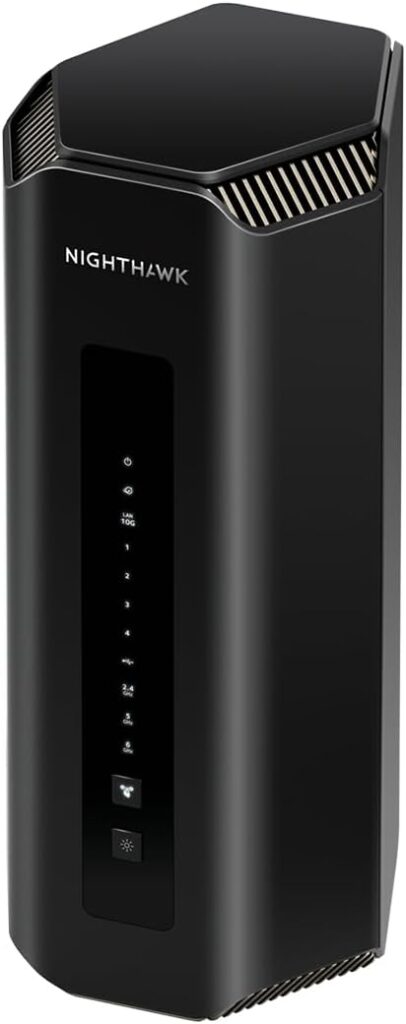
The Netgear Nighthawk RS700S is the top Wi-Fi 7 router, covers up to 3,500 square feet, and supports download speeds of up to 10 Gbps. It has advanced capabilities, including multi-gigabit Ethernet ports, 8 internal antennas for multi-floor coverage, and supports up to 200 devices simultaneously. It’s ideal for demanding homes or offices that require the latest tech and maximum performance.
Best Multi-Gig Router: ASUS RT-BE96U
The ASUS RT-BE96U delivers the best balance of multi-gig performance, features, and value in the current Wi-Fi 7 market. It supports Wi-Fi 7 across tri-band 2.4, 5, and 6 GHz frequencies, with dual 10 Gbps WAN/LAN ports and four 2.5G ports, giving it serious wired headroom for multi-gig fiber plans, NAS setups, or wired workstations. Unlike some competitors at this price point, advanced security and parental controls are included free with no subscription required. It’s the go-to choice for households on gigabit-or-faster fiber plans who want top performance without ongoing fees.
Best Router Design: NETGEAR Nighthawk RAXE500
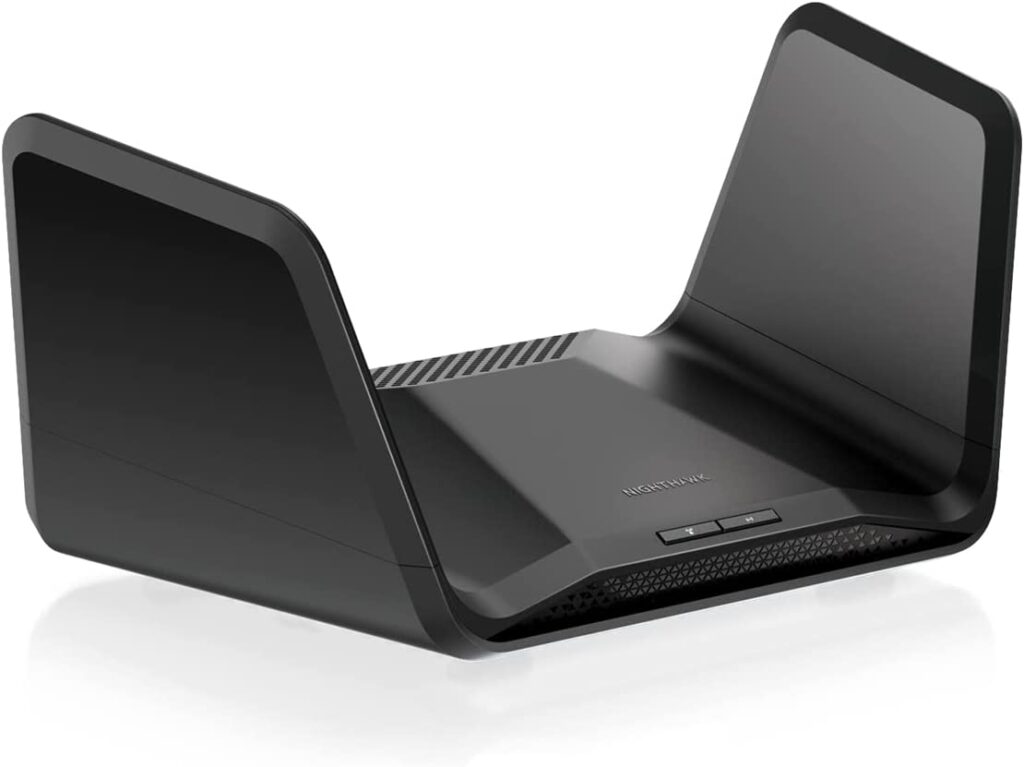
The NETGEAR Nighthawk RAXE500 is another great option for those who need a Wi-Fi router that can keep up with fiber internet speeds. It supports Wi-Fi 6E and handles speeds up to 5,400 Mbps. It has a sleek design and its configuration settings are user-friendly, which makes for easy network management.
Best Budget Router: TP-Link Archer AX90
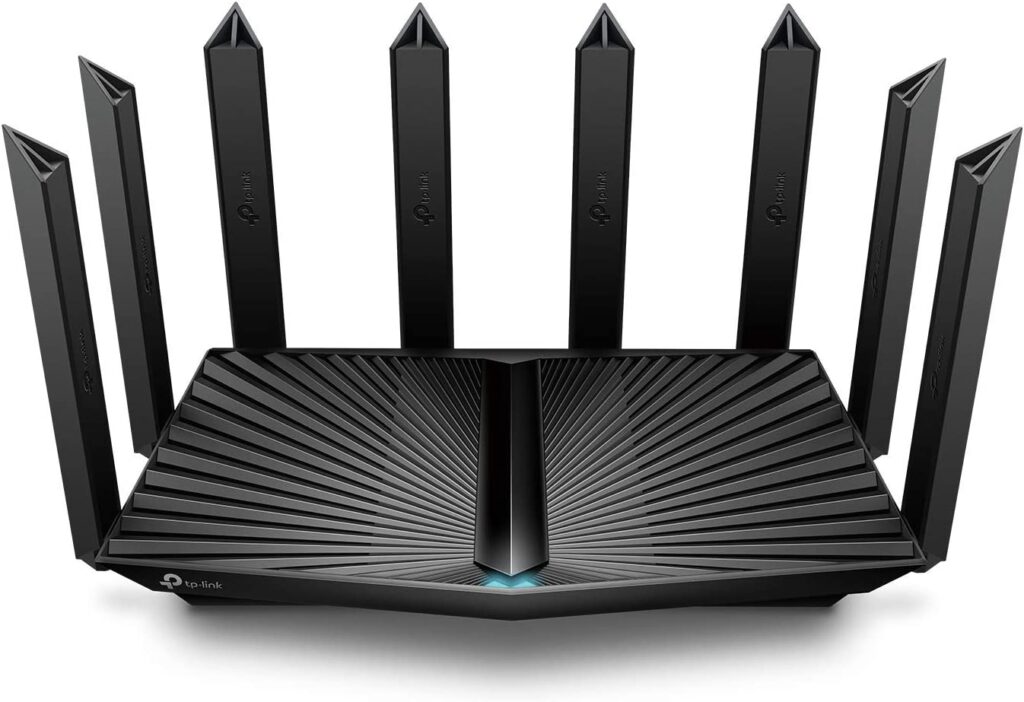
The TP-Link Archer AX90 is an affordable option that still offers great performance. It supports the Wi-Fi 6 standard and can handle speeds up to 6,000 Mbps. Its powerful processor and advanced features make it a good choice for homes with a lot of devices.
Best Mid-Budget Router: TP-Link Archer AX55
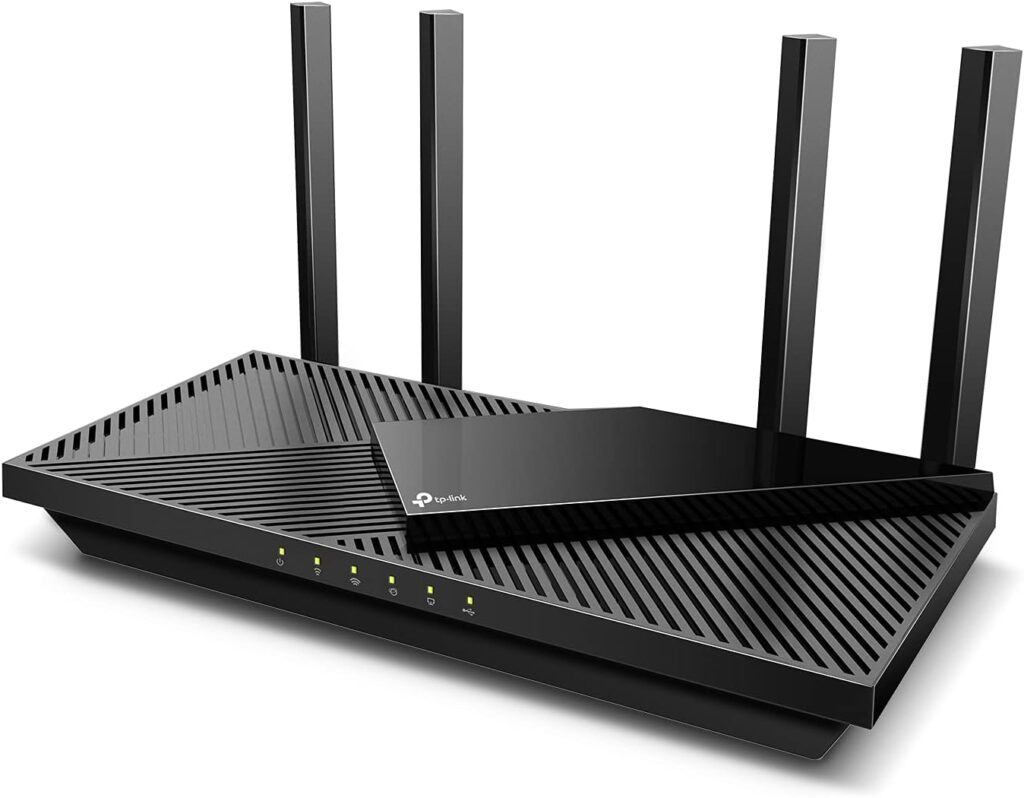
The TP-Link Archer AX55 stands out as a top pick for those on a tight budget. It supports Wi-Fi 6 and delivers speeds up to 2402 Mbps on the 5 GHz band and 574 Mbps on the 2.4 GHz band. It has OFDMA technology, which quadruples capacity, and is ideal for handling multiple simultaneous streams. With four high-gain external antennas and Beamforming technology, it offers reliable coverage for smaller to mid-sized homes.
Best Gaming Router: ASUS ROG Rapture GT-AXE16000
Source: Amazon
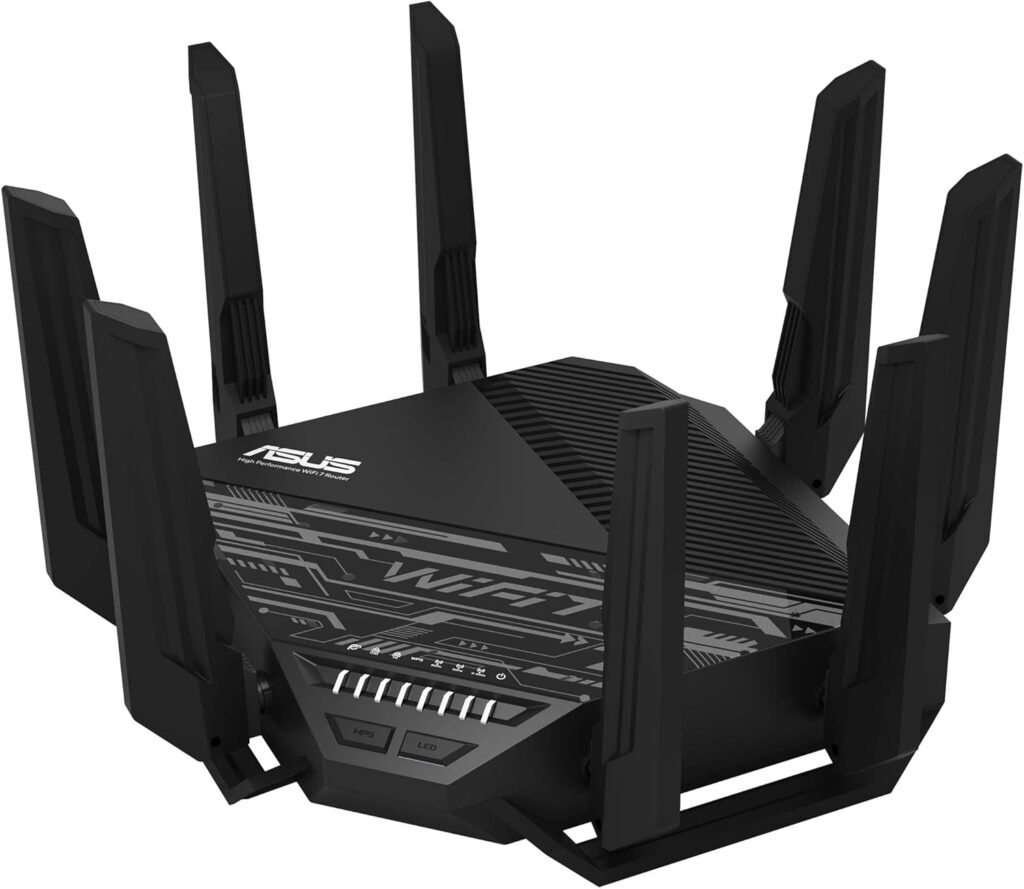
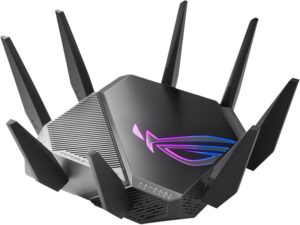
Designed with gamers in mind, the ASUS ROG Rapture GT-AXE16000 provides unmatched performance with speeds exceeding 16 Gbps. It features four frequency bands, dual 10 Gbps WAN/LAN ports, and ultra-low latency, making it perfect for intense gaming and streaming high-quality content. Enhanced security features such as AiProtection Pro with WPA3 provide a secure network environment.
Best Mesh Wi-Fi Router: Linksys Velop AX4200
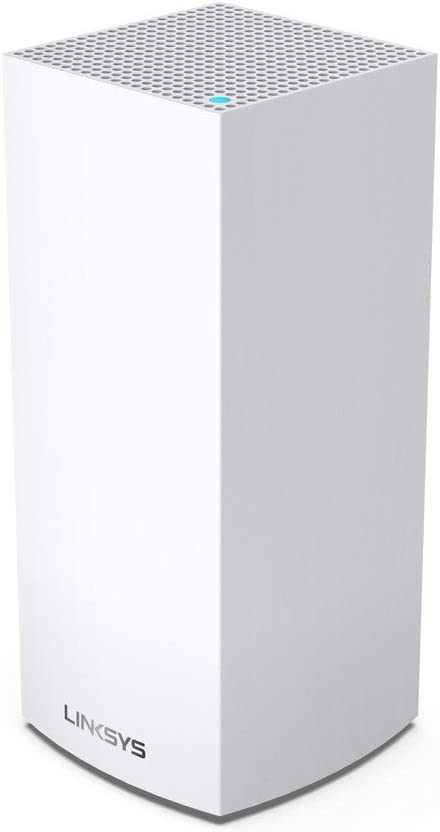
The Linksys Velop AX4200 is a mesh Wi-Fi system that’s perfect for large homes. It uses multiple nodes to create a seamless Wi-Fi network that reaches into every corner of your home. It supports the Wi-Fi 6 standard and can deliver speeds up to 4,200 Mbps.
Best Multiple Devices Router: ASUS RT-AXE7800
Source: Amazon
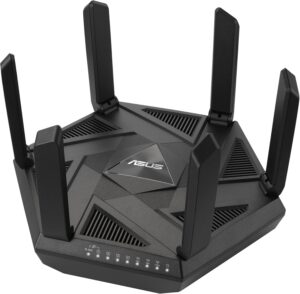
The ASUS RT-AXE7800 excels in connecting multiple devices simultaneously and leverages Wi-Fi 6E technology for superior performance. With combined speeds over 7 Gbps and equipped with six external antennas, it eliminates Wi-Fi dead zones and ensures robust connectivity throughout your home.
Easiest to Use Router: Google Nest Wi-Fi Pro

The Google Nest Wi-Fi Pro is the easiest Wi-Fi router to set up and manage, making it an ideal choice for households with smart home devices. It supports Wi-Fi 6E, including the 6 GHz band, and delivers combined speeds up to 5,400 Mbps across tri-band (2.4 GHz, 5 GHz, and 6 GHz) operation. Coverage reaches up to 2,200 square feet per unit, and multiple units can be paired to extend whole-home mesh coverage seamlessly. The Google Home app provides intuitive controls for network management, parental controls, and device prioritization.
Comparing the Best Routers for Fiber Internet
| Router | Best For | Wi-Fi Standard | Max Speed | Coverage | Key Feature | Approx. Price |
| Netgear Nighthawk RS700S | Best Overall | Wi-Fi 7 | 10 Gbps | 3,500 sq. ft. | 200-device support, 8 internal antennas | $500–$600 |
| ASUS RT-BE96U | Best Multi-Gig | Wi-Fi 7 | 19,000 Mbps combined | 3,000 sq. ft. | Dual 10G ports, no subscription fees | $350 |
| Netgear Nighthawk RAXE500 | Best Design | Wi-Fi 6E | 10,800 Mbps combined | 2,500 sq. ft. | 6 GHz band, user-friendly setup | $200–$300 |
| TP-Link Archer AX90 | Best Budget | Wi-Fi 6 | 6,000 Mbps combined | 2,500 sq. ft. | Tri-band, powerful processor | $150–$200 |
| TP-Link Archer AX55 | Best Mid-Budget | Wi-Fi 6 | 3,000 Mbps combined | 1,500 sq. ft. | OFDMA, 4 high-gain antennas | $80–$100 |
| ASUS ROG Rapture GT-AXE16000 | Best Gaming | Wi-Fi 6E | 16,000 Mbps combined | 3,000 sq. ft. | 4 bands, dual 10G ports, AiProtection Pro | $450–$550 |
| Linksys Velop AX4200 | Best Mesh | Wi-Fi 6 | 4,200 Mbps combined | 4,000 sq. ft. (3-pack) | Seamless whole-home mesh coverage | $200–$300 |
| ASUS RT-AXE7800 | Best for Multiple Devices | Wi-Fi 6E | 7,800 Mbps combined | 2,500 sq. ft. | Tri-band 6E, 6 external antennas | $200–$250 |
| Google Nest Wifi Pro | Easiest to Use | Wi-Fi 6E | 5,400 Mbps combined | 2,200 sq. ft. | Google Home app, smart home integration | $200–$230 |
| Router | Netgear Nighthawk RS700S |
| Best For | Best Overall |
| Wi-Fi Standard | Wi-Fi 7 |
| Max Speed | 10 Gbps |
| Coverage | 3,500 sq. ft. |
| Key Feature | 200-device support, 8 internal antennas |
| Approx. Price | $500â$600 |
| Router | ASUS RT-BE96U |
| Best For | Best Multi-Gig |
| Wi-Fi Standard | Wi-Fi 7 |
| Max Speed | 19,000 Mbps combined |
| Coverage | 3,000 sq. ft. |
| Key Feature | Dual 10G ports, no subscription fees |
| Approx. Price | $350Â |
| Router | Netgear Nighthawk RAXE500 |
| Best For | Best Design |
| Wi-Fi Standard | Wi-Fi 6E |
| Max Speed | 10,800 Mbps combined |
| Coverage | 2,500 sq. ft. |
| Key Feature | 6 GHz band, user-friendly setup |
| Approx. Price | $200â$300 |
| Router | TP-Link Archer AX90 |
| Best For | Best Budget |
| Wi-Fi Standard | Wi-Fi 6 |
| Max Speed | 6,000 Mbps combined |
| Coverage | 2,500 sq. ft. |
| Key Feature | Tri-band, powerful processor |
| Approx. Price | $150â$200 |
| Router | TP-Link Archer AX55 |
| Best For | Best Mid-Budget |
| Wi-Fi Standard | Wi-Fi 6 |
| Max Speed | 3,000 Mbps combined |
| Coverage | 1,500 sq. ft. |
| Key Feature | OFDMA, 4 high-gain antennas |
| Approx. Price | $80â$100 |
| Router | ASUS ROG Rapture GT-AXE16000 |
| Best For | Best Gaming |
| Wi-Fi Standard | Wi-Fi 6E |
| Max Speed | 16,000 Mbps combined |
| Coverage | 3,000 sq. ft. |
| Key Feature | 4 bands, dual 10G ports, AiProtection Pro |
| Approx. Price | $450â$550 |
| Router | Linksys Velop AX4200 |
| Best For | Best Mesh |
| Wi-Fi Standard | Wi-Fi 6 |
| Max Speed | 4,200 Mbps combined |
| Coverage | 4,000 sq. ft. (3-pack)Â |
| Key Feature | Seamless whole-home mesh coverage |
| Approx. Price | $200â$300 |
| Router | ASUS RT-AXE7800 |
| Best For | Best for Multiple Devices |
| Wi-Fi Standard | Wi-Fi 6E |
| Max Speed | 7,800 Mbps combined |
| Coverage | 2,500 sq. ft. |
| Key Feature | Tri-band 6E, 6 external antennas |
| Approx. Price | $200â$250 |
| Router | Google Nest Wifi Pro |
| Best For | Easiest to Use |
| Wi-Fi Standard | Wi-Fi 6E |
| Max Speed | 5,400 Mbps combined |
| Coverage | 2,200 sq. ft. |
| Key Feature | Google Home app, smart home integration |
| Approx. Price | $200â$230 |
* All speed figures represent combined throughput across all bands, not single-device speeds. Prices approximate as of March 2026 and subject to change.
Buyer’s Recommendation Checklist: Choosing the Right Router for Fiber Internet
Before purchasing a Wi-Fi router for your fiber internet connection, consider the following:
Speed Compatibility
- Match your router to your fiber internet plan (e.g., use an AX6000+ router for 1 Gbps or higher speeds).
Price & Value
- Set a realistic budget. Entry-level Wi-Fi 6 routers start around $80–$150, while high-end multi-gig or mesh systems exceed $300. Choose based on needs, not just specs.
Wi-Fi Standard
- Choose a router with Wi-Fi 6 (802.11ax) or Wi-Fi 6E/7 for better performance and future-proofing.
Number of Devices
- For large households or smart homes, look for routers that support 50+ devices and MU-MIMO or OFDMA features.
Coverage Area
- Use a mesh system for homes over 2,500 sq. ft., or routers with high-gain antennas and beamforming tech.
Port Configuration
- Need wired connections? Ensure your router has multiple Gigabit or Multi-Gig (2.5G/10G) LAN ports.
Security Protocols
- Prioritize routers with WPA3 encryption, automatic firmware updates, and built-in firewalls to secure your home network.
Special Use Cases
- For online gaming, choose routers with low-latency modes and QoS (Quality of Service) settings. This will also help with streaming video.
- For budget users, balance features like Wi-Fi 6 support and coverage within your price range.
Internet Provider Compatibility
- Confirm your router is compatible with your fiber provider (AT&T, Verizon Fios, Frontier, Google Fiber, etc.).
Ease of Setup
- Look for routers with user-friendly mobile apps, voice control, or guided setup wizards.
Wi-Fi 7 and Fiber Internet
Wi-Fi 7 (802.11be) is the latest wireless standard, and for fiber internet users, it is a significant step forward. The most practical improvement is Multi-Link Operation (MLO), which allows a Wi-Fi 7 router to transmit data across multiple bands at the same time. With previous standards, your device connected to one band at a time. With MLO, a Wi-Fi 7 router can combine the 5 GHz and 6 GHz bands, delivering faster speeds and lower latency to compatible devices.
For fiber users specifically, this is helpful in three ways. First, Wi-Fi 7 raises the per-stream throughput ceiling high enough to keep pace with multi-gig fiber plans, something Wi-Fi 6E routers can struggle with. Second, the increased channel width (up to 320 MHz on the 6 GHz band, versus 160 MHz on Wi-Fi 6E) means more bandwidth per device, which is noticeable in dense households with many simultaneous streams. Third, Wi-Fi 7 reduces latency through improved scheduling, which benefits gaming and video conferencing even at standard gigabit speeds.
But the tradeoff is cost and device compatibility. Wi-Fi 7 routers are expensive ($300 and up), and only the latest smartphones, laptops, and tablets are Wi-Fi 7 capable. If most of your devices are a few years old, a good Wi-Fi 6E router performs well at a much lower price. Wi-Fi 7 may be the right choice if you are on a multi-gig fiber plan, plan to buy new Wi-Fi 7-capable devices in the next year or two, or want to future-proof your home network for the long term.
Top Fiber Internet Providers
| Provider | Max Download | Starting Price | |
|---|---|---|---|
| EarthLink | 5 Gbps | $39.95/mo. | Check Availability |
| Frontier | 5 Gbps | $49.99/mo. w/Auto Pay & Paperless Bill – 64.99/mo. | Check Availability |
| Kinetic | 2 Gbps | $24.99/mo. | Check Availability |
| Provider | EarthLink |
|---|---|
| Max Download | 5 Gbps |
| Starting Price | $39.95/mo. |
| Check Availability | |
| Provider | Frontier |
| Max Download | 5 Gbps |
| Starting Price | $49.99/mo. w/Auto Pay & Paperless Bill – 64.99/mo. |
| Check Availability | |
| Provider | Kinetic |
| Max Download | 2 Gbps |
| Starting Price | $24.99/mo. |
| Check Availability | |
Why Do You Need a Better Router for Fiber Internet?
Fiber internet is the fastest of all internet connection types, currently capable of speeds up to 5 Gbps. But to reach its full potential, you will need a Wi-Fi router that can support multi-gig speeds. Slower routers can cause a bottleneck and give you slower speeds than what you are paying for from your internet provider.
Specialized Wi-Fi routers are designed to handle the high speeds of fiber internet. They have powerful processors and antennas that can support the latest Wi-Fi standards. This ensures that you get the fastest possible speeds throughout your home.
In addition to speed, specialized Wi-Fi routers also offer several other benefits that can improve your fiber internet experience, such as:
- Better security measures to protect your network from unauthorized access.
- More configuration options, such as parental controls, guest networks, and network monitoring.
- Better range that provides a strong Wi-Fi signal throughout your home.
Making the Smart Choice for Your Fiber Wi-Fi Setup
Choosing the best Wi-Fi router for your fiber internet isn’t just about speed—it’s about matching your unique needs with the right blend of features. Whether you are a competitive gamer, a remote worker, or managing a household filled with smart devices, there is a router on this list that fits the bill.
From the ultra-fast Netgear Nighthawk RS700S to the value-packed TP-Link Archer AX55, today’s top routers offer future-proof performance and reliable connectivity for every type of connection. Fast internet deserves a router that can keep up—choose wisely, and enjoy seamless streaming, gaming, and working from anywhere in your home.
Frequently Asked Questions (FAQ) About Routers for Fiber Internet
If your router isn’t capable of supporting your fiber plan’s speed (e.g., 1 Gbps or higher), it will become a bottleneck. This results in slower download and upload speeds, higher internet latency, and reduced performance for streaming, gaming, and smart home devices—even if your ISP is delivering full speed to your home.
Yes—especially if you have a multi-gigabit fiber plan or multiple high-bandwidth users. Wi-Fi 6E and Wi-Fi 7 routers reduce congestion, support more simultaneous streams, and unlock the full potential of next-gen devices. These standards are also more future-proof for evolving internet needs.
Yes. Fiber-compatible routers also work with cable internet, DSL internet, or fixed wireless internet. However, if your plan is under 500 Mbps, you may not benefit from the advanced features of a multi-gig or Wi-Fi 7 router.
Not necessarily. A single high-powered router may be sufficient for smaller homes or apartments. Mesh systems are ideal for large homes (2,500+ sq. ft.) or homes with Wi-Fi dead zones, as they create seamless whole-home coverage.
Most standalone routers are compatible with major fiber providers like AT&T, Verizon Fios, Frontier, and Google Fiber. However, some internet providers may require a specific modem/router combo or have equipment rental policies. Always check compatibility before purchasing.
Run an internet speed test over both WiFi and a wired (Ethernet) connection. If your wired speed is significantly higher than your WiFi speed, your router may be underpowered or outdated. Also, check if your router supports gigabit ports and more recent WiFi standards.
Absolutely. Fiber-ready routers with QoS (Quality of Service), low-latency modes, and tri-band/multi-band support help reduce lag and buffering. They’re especially beneficial for 4K streaming, online gaming, and real-time conferencing.
You can usually install your own router if your ISP allows BYOD (bring your own device). Most modern routers offer app-based setup with guided instructions. However, some providers may require technician activation or restrict third-party equipment.
Most third-party routers work with AT&T Fiber, but the setup requires a key step: AT&T’s gateway must remain in place and be configured in IP Passthrough mode, which disables its routing functions and passes the public IP address to your third-party router. The ASUS RT-BE96U is a top pick for AT&T Fiber, as it works with any AT&T fiber plan up to 9.4 Gbps and includes free security tools and parental controls with no subscription required. If you have gig or multi-gig fiber internet, most routers that support Wi-Fi 6E or Wi-Fi 7 will unlock the full performance of your plan.
No special router is required for Frontier fiber service. Frontier provides an Optical Network Terminal (ONT) instead of a traditional modem, so any router with a standard Ethernet WAN port will connect directly to it without additional configuration. Some Frontier fiber plans include an eero 7 router, but you’re free to use your own third-party router in its place. If you’re on Frontier’s 2 Gbps or 5 Gbps tiers, make sure your router has a multi-gig WAN port so it doesn’t become a bottleneck.
Wi-Fi 6 (802.11ax) operates on the 2.4 and 5 GHz bands and delivers significant improvements in speed, capacity, and efficiency over Wi-Fi 5. Wi-Fi 6E adds access to the 6 GHz band, which is a wide-open spectrum with less interference and more available channels. This makes a real difference in congested homes or on multi-gig fiber plans. For everyday gigabit plans, a solid Wi-Fi 6 router usually provides the best balance of price and reliability, while Wi-Fi 6E or Wi-Fi 7 is worth considering if you want to future-proof for multi-gig speeds or have many high-demand devices competing for bandwidth.
Of the routers on this list, the Netgear Nighthawk RS700S and ASUS RT-BE96U offer the strongest multi-gig wired credentials; both carry dual 10 Gbps ports, making them suitable for fiber plans of 2 Gbps and above. The ASUS ROG Rapture GT-AXE16000 also includes dual 10 Gbps WAN/LAN ports alongside a 2.5 Gbps WAN port. For most gigabit or multi-gig fiber plans, a router with at least a 2.5 Gbps WAN port is essential to avoid bottlenecking your connection; standard gigabit WAN ports will cap your speeds at 1 Gbps regardless of what your fiber plan delivers.
Find providers in your area
Share this post:



Table of Contents